
Lead Management
Connect Your Website Form to Your CRM
From submission to an accepted task: map form fields, secure incoming enquiries and recover delivery failures without duplicate actions.
Short answer
Connect your website form so that every accepted enquiry receives a stable reference, an appropriate contact, a separate request record and a responsible person. A thank-you page alone does not prove successful delivery to the CRM. Define field mapping, the point at which receipt can be confirmed and the recovery path for failures before activating the integration. Start with one form and test the entire journey through to an accepted task.
Key takeaways
- A thank-you page proves neither CRM delivery nor handling.
- The contact, new request and technical submission are distinct records.
- Repeated deliveries must not trigger duplicate tasks.
- Test the full journey, including failures and visible acceptance.
A thank-you page is not an owned enquiry
A fictional example: a prospect requests advice on your website. The form displays “Thank you”. An email reaches the office, but no case appears in the CRM. A colleague creates the contact manually later. Another employee has already called the prospect, but that information sits in a separate inbox.
The problem is not just the design of the form. There are no reliable transitions between submission, customer record and handling. Those transitions are what the integration must establish.
After “Submit”, the important question is not whether a notification arrived. It is whether the enquiry can be found, correctly linked and visibly owned.
This guide covers intake from a contact or consultation form. The speed-to-lead guide covers response timing, while the follow-up system addresses subsequent contact sequences.
Choose a delivery path you can account for
Our recommendation is to start by checking an integrated form or a maintained direct connector. Keep your existing website form if it supports the required data flow reliably. Add a separate automation service when you actually need it for routing, additional systems or error handling.
Route | Useful when … | Demonstrate before launch |
|---|---|---|
Integrated CRM form | It supports the required presentation and fields | Submissions are stored; actions and failures are traceable |
Existing form with a connector | The website should remain and a maintained integration is available | Field mapping, permissions and retries behave correctly |
Form with a custom interface | Special rules or multiple destination systems are necessary | Operation, monitoring and recovery have named owners |
More stages mean more handoffs to test. Email can provide an additional notification. As the only delivery mechanism, however, it leaves the question of whether the enquiry became actionable in the CRM unanswered.
Static form or intelligent qualification?
A static form collects the fields you defined in advance. Intelligent qualification can then choose a next question, use confirmed CRM context and route the request to an appropriate owner. It does not replace a usable form or a decision that a subject owner has approved.
For ONE LOOP, keep the boundary explicit: the form and conversation preserve the original input, the contact stays separate from the request, and a qualification rule creates at most a traceable signal. The automation must not guess missing or sensitive information. Contradictory answers, ambiguous matches and decisions outside the permitted scope go to a review queue.
Option | Strength | Boundary |
|---|---|---|
Static form | Consistent questions, simple analysis and testable required fields | Everyone sees the same sequence; context is often unused |
Progressive questions | Fewer unnecessary questions; the next question can use confirmed context | Rules, fallbacks and a visible exit path need maintenance |
AI-assisted qualification | Free text can be triaged and assigned a bounded signal | A summary is not proof; sensitive or ambiguous cases need a person |
Before launch, check three things: Is the original message kept unchanged? Can you read back the rule, source and timestamp for every classification? And does uncertainty create an owned task instead of silent routing? That is how “intelligent” avoids becoming an opaque lead filter.
Decide where each field belongs
Prepare a small mapping table before connecting systems. Separate information about the person from information about the current request. An existing customer can have a new enquiry without becoming a new contact.
Input or event | Destination | Important rule |
|---|---|---|
Name and return channel | Contact | Do not overwrite confirmed master data with unchecked new input |
Subject and message | Separate enquiry record | Preserve the original request instead of replacing a general contact field |
Form and arrival time | Enquiry source | Keep the original arrival time when retrying |
Submission reference | Technical intake log | Do not execute the same delivery twice |
Preferred contact channel | Enquiry | Keep the preference visible; do not treat it as blanket marketing permission |
Responsible person and due time | Task linked to the request | Determine ownership from internal rules, not a hidden browser field |
Required fields should follow the next handling step. A callback request needs a reachable return number. An email reply does not automatically require a date of birth, postal address and budget as well. Identify optional fields and review privacy notices and separate marketing permissions for the intended use.
Free text and hidden form fields are external input. They must not override internal permissions, prices or handling rules. If AI later summarises a request, retain the original message; instructions inside that message are not instructions for your automation.
Reliable intake starts with usable fields
In February 2026, WebAIM detected missing form labels on 51% of one million homepages evaluated. The automated WAVE analysis uses a sample derived from the Tranco ranking. This is neither an abandonment rate nor a study of German contact forms. WebAIM Million: original report and methodology
Missing form labels remain common
Share of evaluated homepages · Automated evaluation February 2026
- Missing form labels detected51 %
- This error not detected49 %
View data table
| Category | Share of evaluated homepages |
|---|---|
| Missing form labels detected | 51 % |
| This error not detected | 49 % |
49% is calculated as 100 − 51, not evidence of complete accessibility.
Source: WebAIM · Million 2026 · Automated evaluation February 2026. One million homepages selected using the Tranco ranking; WAVE analysis.
Not an abandonment rate or a German/contact-form sample. Automated checks do not detect every barrier.
For your form, this suggests a practical check: is the expected input clear for every field, including with a keyboard or screen reader? Use visible labels associated with their controls. A placeholder that disappears while typing is not a good substitute. The W3C form-label guide explains how that association works.
Check required information and plausible formats. A syntactically valid email address does not establish deliverability or identity. Browser validation helps people complete the form; the receiving system must also validate the data. The W3C input-validation guide explains that distinction.
Confirm only the state actually reached
We recommend three separate states: submission durably stored, CRM case created and handling accepted. A green tick should not imply a promise that the system cannot yet fulfil.
Confirm receipt once the enquiry has been durably stored in the intended system and secured for further processing. If an upstream service stores it first, its pending queue needs monitoring. Display “Appointment confirmed” only after an appointment has genuinely been accepted.
When something fails, give the visitor an understandable explanation and a reachable alternative. Preserve completed fields where possible. Do not expose internal CRM details in the error message. W3C guidance on user notifications covers clear success and failure feedback; the state model here is our implementation recommendation.
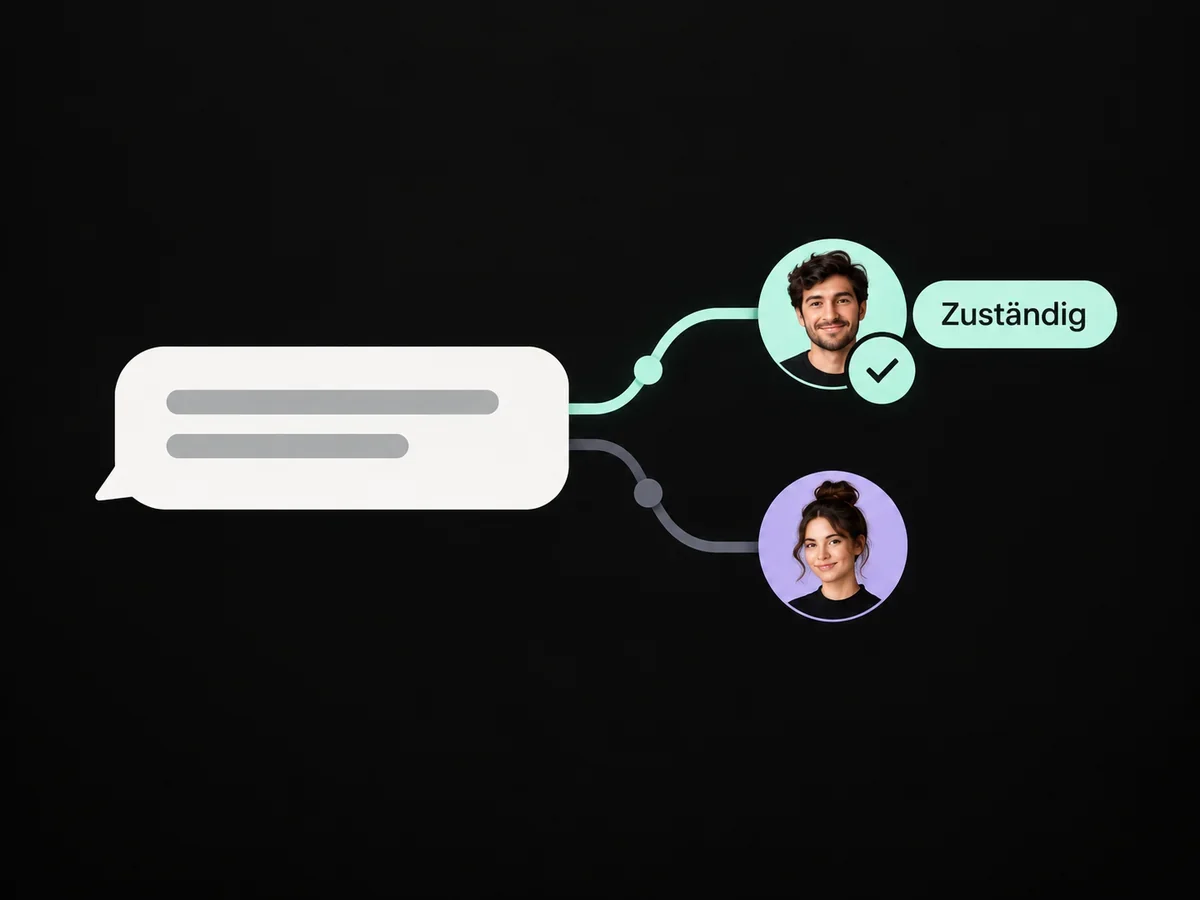
From the form to a responsible person
Turn a submission into an accepted task
Submit the form
Collect necessary information only; identify the submission and its original arrival time.
Secure receipt
Validate incoming data, store it durably and confirm only the state actually reached.
Link the request
Find the appropriate contact, preserve the new enquiry and recognise steps already completed.
Accept the task
Set ownership and due time, record acceptance and actively handle pending exceptions.
Delivery uncertain or a step failed?
Check the destination and complete only missing actions; do not create duplicate contacts or messages.
Recommended intake path: verify events, field mapping and recovery against the selected setup.
For ONE LOOP, we design this as a connected customer process. The available form events, mapping fields and retry controls must be checked against the selected setup. The flow is a configuration proposal, not an already tested customer workflow.
A repeated delivery is not a repeated enquiry
After a connection failure, the same technical message may arrive again. Associate it with a stable intake reference and record which steps have already completed. The Stripe webhook documentation describes duplicate event delivery and identification through event IDs. It is a technical reference, not a claim about every form provider's retry behaviour.
Test browser double-clicks as well. If they represent the same logical submission, they should not create the same task twice. If the same person later submits a different request, keep that enquiry separately. “Email already exists” is therefore not a sufficient reason to discard a submission.
Finding a contact is not verifying identity
An entered address may match an existing record. That does not authorise a public form to reveal the customer's history or replace contact details without checks. Send ambiguous matches to a review queue. Avoid automatic merges based only on names or company domains.
Assignment needs visible acceptance
Route by understandable rules, such as the request type and supported location. Give each enquiry a task and due time. If the intended person cannot accept it, a named backup takes over. A notification draws attention to work; acceptance must be visible on the case itself.
Recover failures without triggering everything again
Failure state | Next safe action |
|---|---|
Submission stored, CRM unavailable | Keep the enquiry pending and retry after the documented delay |
Contact exists, task is missing | Complete the missing step; do not create a second contact |
CRM action may have completed, response was lost | Check the intake reference and destination before writing again |
Input is contradictory or suspicious | Review separately; do not start a messaging sequence |
Assigned person is unavailable | Route to the designated backup and retain the original due time |
The failure queue needs an owner, the time of the last attempt and a next action. Set bounded retries. Repeating a permanently invalid submission forever will not repair it.
Daily intake reconciliation may be sufficient for an initial launch if your volume and promised response times allow it. Shorter commitments need correspondingly faster monitoring. Store only the data needed for diagnosis and handling, with appropriate access and retention rules.
Test the whole journey before release
Use synthetic contact details to test at least these cases:
New enquiry: fields, original message, contact, task and ownership match.
Existing contact: the new request survives and confirmed master data is not overwritten.
Double-click and technical retry: no duplicate task or initial message.
Missing required field: understandable correction instead of a false success message.
Failure between contact creation and task creation: recovery completes only the missing step.
German and English forms: equivalent field meanings and the correct reply language.
Keyboard and smartphone use: labels, errors and confirmation are accessible.
Start with one form. Keep the previous intake path observable during the pilot, but prevent two automations from sending in parallel. Any rollback must account for requests that have already been accepted but remain open.
Measure the handoff, not just the submit button
Reconcile durably accepted, valid enquiries with their CRM cases and accepted tasks. Separate technical retries and test submissions. Track pending transfers, ambiguous matches and the oldest unhandled request.
A fictional control example: of 25 valid submissions, 23 are in the CRM and two are waiting after a failure. Three of those 23 still lack an accepted task. That means 20 out of 25, or 80%, have reached acceptance—not 23 out of 25. This is an illustrative calculation, not a ONE LOOP result or target.
Once that chain is traceable, you can turn to the next form optimisation. Plan your form and enquiry workflow with ONE LOOP.
FAQ